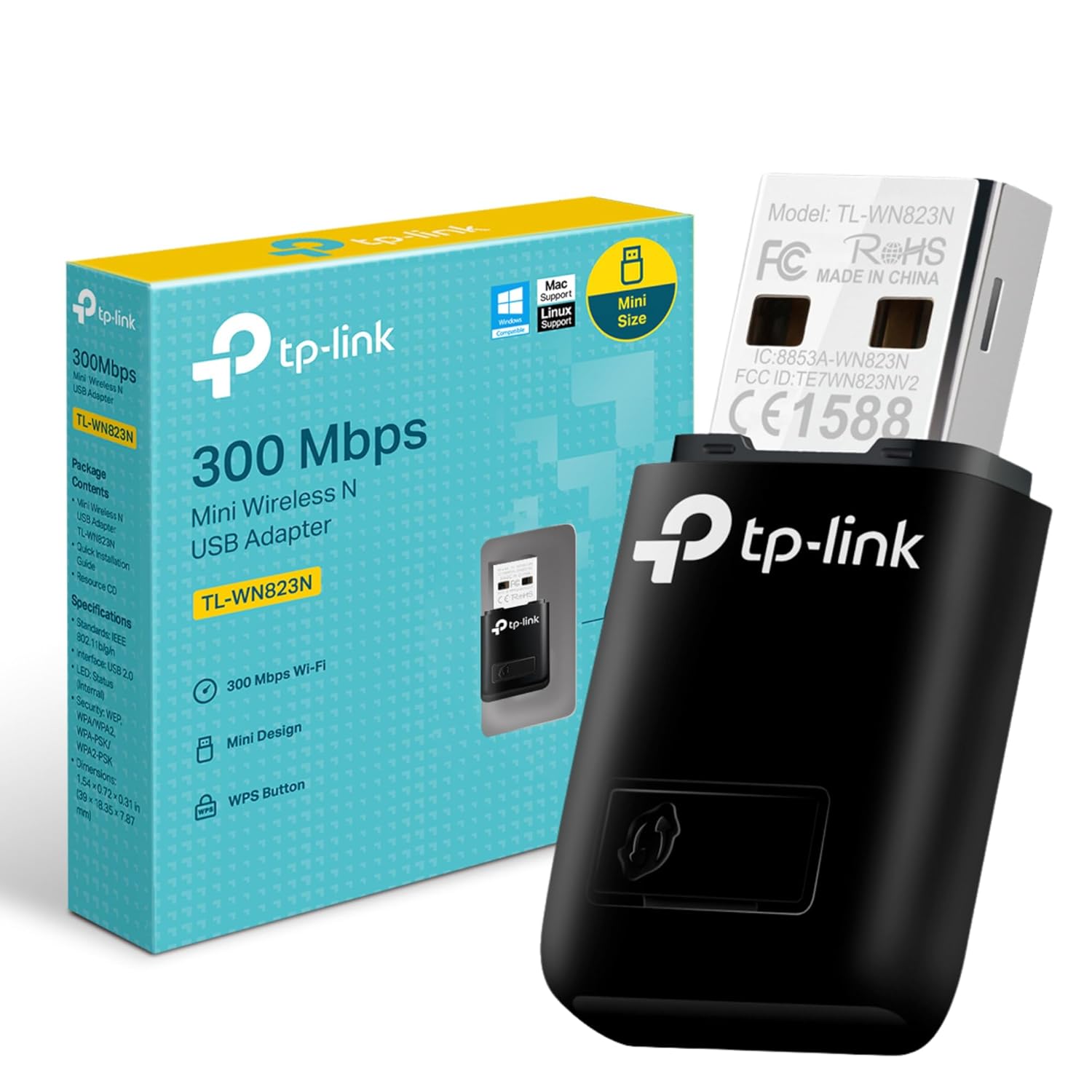
The TP-LINK WiFi Dongle 300 Mbps is a compact and efficient solution for anyone looking to enhance their wireless connectivity. With its easy setup and wide compatibility, this device is perfect for both desktops and laptops.
Designed for convenience, the mini-sized dongle provides reliable high performance, making it ideal for HD video, voice streaming, and online gaming. Let’s delve into its key features and benefits.
Users have praised the TP-LINK WiFi Dongle for its effortless installation and excellent performance. One user mentioned that it auto-installed on their system and worked much better than their previous WiFi adapter.
Another user appreciated the device’s ability to work without a CD, simply by plugging it in. Despite some mixed reviews, many users found it to be a great value for the price, with good range and speed.
High-Speed Wi-Fi Performance

The TP-LINK WiFi Dongle offers a wireless speed of 300 Mbps, which is perfect for smooth HD video streaming, voice calls, and online gaming. This speed ensures that you can enjoy your favorite online activities without any interruptions. The device is designed to provide a stable and reliable connection, making it a great choice for both casual and serious users.
Compact and Portable Design

One of the standout features of this WiFi dongle is its mini-sized design, which makes it easy to carry around. Whether you’re traveling or simply moving between rooms, you can take it with you without any hassle. Despite its small size, it doesn’t compromise on performance, offering a solid and consistent connection wherever you are.
SoftAP Mode for Flexibility

The SoftAP Mode feature allows you to turn a wired internet connection on your PC or laptop into a Wi-Fi hotspot. This is especially useful in situations where you need to share your internet connection with other devices. It’s a handy feature that adds to the versatility of the TP-LINK WiFi Dongle, making it more than just a simple adapter.
Easy Setup with WPS Button

Setting up a secure wireless connection is a breeze with the TP-LINK WiFi Dongle, thanks to its one-touch WPS button. This feature allows you to quickly and easily establish a secure connection without the need for complicated configurations. It’s a user-friendly option that saves you time and effort.
Wide Compatibility

This WiFi dongle is compatible with a wide range of operating systems, including Windows 11/10/8.1/8/7/XP, Mac OS 10.15 and earlier, and Linux. This broad compatibility ensures that you can use it with almost any device, making it a versatile and convenient choice for users with different systems.
Reliable USB 2.0 Interface

The TP-LINK WiFi Dongle uses a USB 2.0 interface, which is widely available on most computers and laptops. This ensures that you can easily connect the dongle without the need for any additional adapters or converters. The USB 2.0 interface provides a reliable and stable connection, making it a dependable choice for everyday use.
User Reviews and Feedback

The TP-LINK WiFi Dongle has received positive feedback from users, with many praising its ease of use and reliable performance. Users have noted that it works well even without a CD drive, and some have mentioned that it provides better speeds than their laptop’s built-in WiFi. However, a few users have experienced occasional signal loss, which could be due to older devices.
Budget-Friendly Option

Priced at just 549.00, the TP-LINK WiFi Dongle is an affordable option for anyone looking to improve their wireless connectivity. It offers great value for money, providing high-speed internet access and a range of useful features without breaking the bank. It’s an economical choice for both home and office use.
Customer Support and Warranty
In case of any product quality issues, TP-LINK offers customer service support to resolve your concerns. The product comes with a 3-year warranty, giving you peace of mind and assurance in your purchase. This level of support and warranty coverage makes it a reliable and trustworthy option for users.
Durability and Build Quality
The TP-LINK WiFi Dongle is built to last, with a durable design that can withstand everyday use. Users have reported that it maintains a stable connection over time, even in environments with multiple walls and barriers. This durability ensures that you can rely on the dongle for consistent performance.
Pros:
- Easy to install and use, making it great for beginners.
- Portable mini-sized design, perfect for on-the-go use.
- Supports a wide range of operating systems, including Windows, Mac OS, and Linux.
Cons:
- Some users report occasional signal drops, which might be due to older hardware.
- Warranty support may be lacking in some areas.
- Limited to USB 2.0 interface, which may not be as fast as USB 3.0.
Conclusion
In summary, the TP-LINK WiFi Dongle 300 Mbps is a reliable and affordable option for improving your wireless connectivity. Its small size and ease of use make it a great choice for both beginners and experienced users.
With a strong performance in various conditions, this WiFi dongle offers a practical solution for those looking to enhance their internet experience without breaking the bank.
Questions & Answers:
Question: Does this WiFi dongle work with Windows 11?
Answer: Yes, the TP-LINK WiFi Dongle 300 Mbps supports Windows 11.
Question: Can this device create a Wi-Fi hotspot?
Answer: Yes, it can turn a wired internet connection into a Wi-Fi hotspot using SoftAP Mode.
Question: Does this WiFi dongle require a CD for installation?
Answer: No, it can auto-install on some systems, but it comes with a CD for manual installation if needed.
Tags: 300 Mbps WiFi Adapter, Mini Wireless USB Adapter, TP-LINK WiFi Dongle, Windows 11 WiFi Dongle