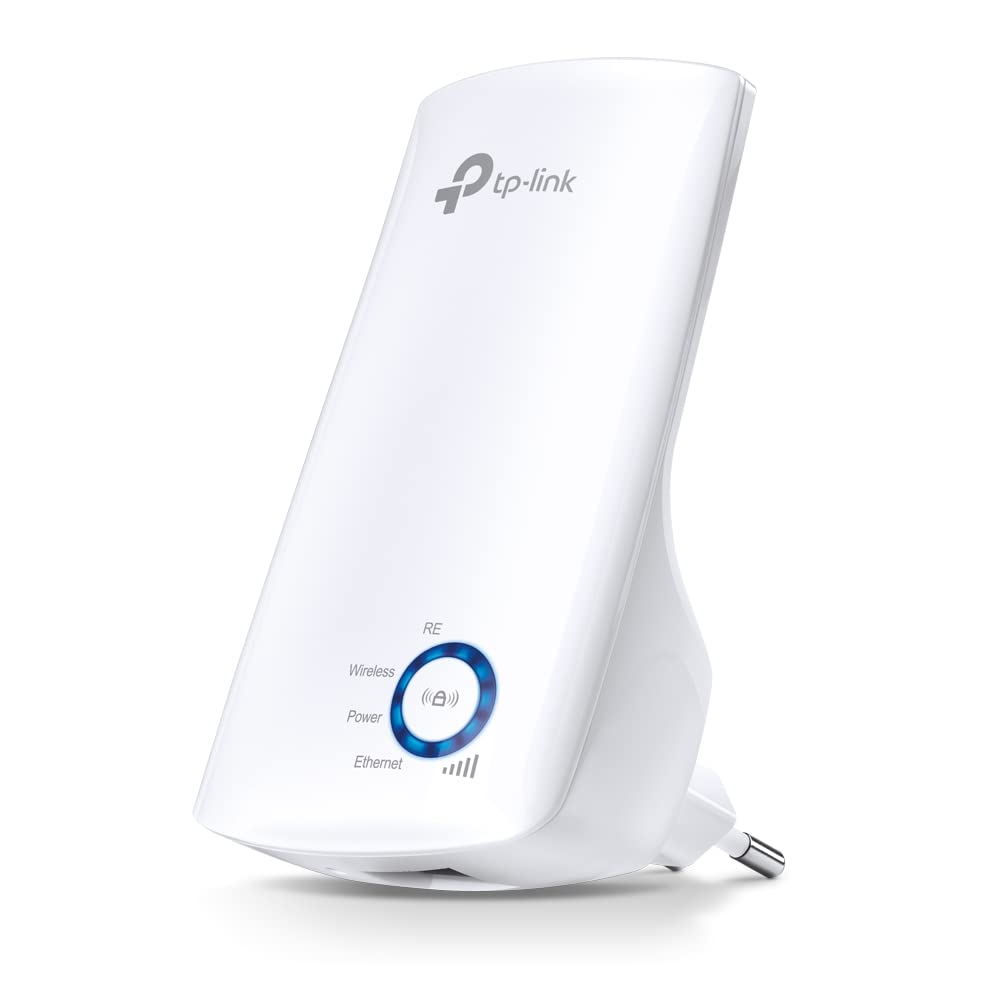
Are you tired of weak WiFi signals in certain parts of your home? The TP-Link TL-WA850RE Wi-Fi Range Extender might be the solution you need.
This device is designed to boost your wireless signal to areas that are hard to reach, making it a handy addition to any home network.
Setting up the TP-Link extender is straightforward. Just plug it in, press the Range Extender button, and you’re ready to go. The compact, wall-mounted design makes it easy to place in any room.
The extender has significantly improved the WiFi signal in my two-story house. Even with thick walls, I now get a strong signal throughout my home.
Boosts Wi-Fi Coverage

The TP-Link TL-WA850RE is designed to boost your existing Wi-Fi signal to areas that are hard to reach. Its compact, wall-mounted design makes it easy to install and move around. With just a push of the Range Extender button, you can quickly expand your wireless coverage.
Easy Setup and Use

Setting up the TP-Link TL-WA850RE is a breeze. It comes with a user-friendly Tether App that allows you to manage the extender with any mobile device. The app makes it simple to monitor and control your extended network, ensuring smooth operation.
Versatile Connectivity

This extender isn’t just for wireless devices. It features an Ethernet port, allowing you to connect wired devices like smart TVs and game consoles. This adds versatility, making it a great addition to any home network.
Compact and Stylish Design

The TP-Link TL-WA850RE’s sleek and compact design ensures it fits seamlessly into your home decor. Its small size means it won’t take up much space, and its white color blends well with most interiors.
Enhanced Performance

While the TP-Link TL-WA850RE operates on the 2.4GHz band, it provides reliable performance for most home applications. It can handle basic tasks like browsing and streaming with ease, making it a practical choice for everyday use.
Energy Efficient

This extender is designed to be energy efficient, consuming only 3W of power. This means you can keep it running without worrying about a significant increase in your electricity bill, making it an economical option.
App Control and Night Mode

The Tether App not only allows easy setup but also offers features like LED Control and Night Mode. You can manage the LED lights to minimize distractions at night, ensuring a peaceful sleep environment.
Affordable Solution
Priced at just 1199.00, the TP-Link TL-WA850RE offers great value for money. It provides a cost-effective solution to enhance your Wi-Fi coverage without breaking the bank, making it accessible to a wide range of users.
Customer Satisfaction
With a 4.2-star rating from over 189,000 reviews, it’s clear that users are generally satisfied with the TP-Link TL-WA850RE. This positive feedback highlights its reliability and effectiveness in boosting Wi-Fi signals.
Ideal for Multi-Story Homes
The TP-Link TL-WA850RE is particularly effective in multi-story homes. It can extend your Wi-Fi signal through multiple floors, ensuring that you have a strong connection no matter where you are in the house.
Pros:
- Easy to set up and install, great for boosting weak Wi-Fi signals.
- Compact design makes it simple to move and place anywhere.
- Ethernet port allows you to connect wired devices to your Wi-Fi network.
Cons:
- Only supports 2.4GHz, not compatible with 5GHz networks.
- Maximum speed is around 20Mbps, which might not be enough for high-speed needs.
- May disconnect occasionally, especially if placed far from the router.
Conclusion
If you’re struggling with weak WiFi signals, the TP-Link TL-WA850RE is a great option. It’s easy to set up and effectively extends your wireless coverage.
Overall, this extender is a cost-effective way to enhance your home network, ensuring you stay connected no matter where you are in your house.
Questions & Answers:
Question: Does this Wi-Fi extender support 5GHz networks?
Answer: No, the TP-Link TL-WA850RE only supports 2.4GHz networks.
Question: Can I use this extender with a wired device?
Answer: Yes, it has an Ethernet port that allows you to connect wired devices to your Wi-Fi network.
Question: Is the setup process complicated?
Answer: No, the setup is quite easy and can be done using the Tether App or by pressing the Range Extender button.
Tags: TP-Link Extender, Wi-Fi Booster, Wi-Fi Range Extender, Wireless Signal Booster